I recently discovered that despite being a very old 32-bits operating system, it’s still possible to cross compile programs from a recent Linux distribution to Windows 98!
The program
I wrote a very small program for this example. It prints Hello World! and a randomly generated number. Even if the toolchain supports C11, I decided that it would be more fun to write ANSI C, which was the standard at that time. The reason I didn’t use C++ is because Microsoft Visual C++ 6.0 could do C++, but it is not the standardized C++98.
#include <stdio.h>
#include <stdlib.h>
#include <time.h>

int main(void)
{
    int seed;

    printf("Hello World!\n");

    seed = (int)time(NULL);
    srand((unsigned int)seed);

    printf("Random number: %d\n", rand());

    return EXIT_SUCCESS;
}
How to build
On Ubuntu 24.04, you need to install the following package that contains the necessary toolchain.
sudo apt install gcc-mingw-w64-i686-win32
Then you can use this Makefile to build for Windows 98. Note that since that my CPU is a Pentium III with MMX and SSE, I activated the instructions with -march=pentium3 -mmmx -msse. For maximal compatibility, you could remove these flags.
# Makefile — cross-compile ANSI C to Windows 98 console program
# Compiler: i686-w64-mingw32-gcc (MinGW-w64 targeting 32-bit Win32)

CC      := i686-w64-mingw32-gcc
CFLAGS  := -std=c89 -pedantic -Wall -Wextra -Werror -march=pentium3 -mmmx -msse
LDFLAGS :=

TARGET  := hello.exe
SRC     := main.c

.PHONY: all clean

all: $(TARGET)

$(TARGET): $(SRC)
	$(CC) $(CFLAGS) $(LDFLAGS) -o $@ $<

clean:
	rm -f $(TARGET)
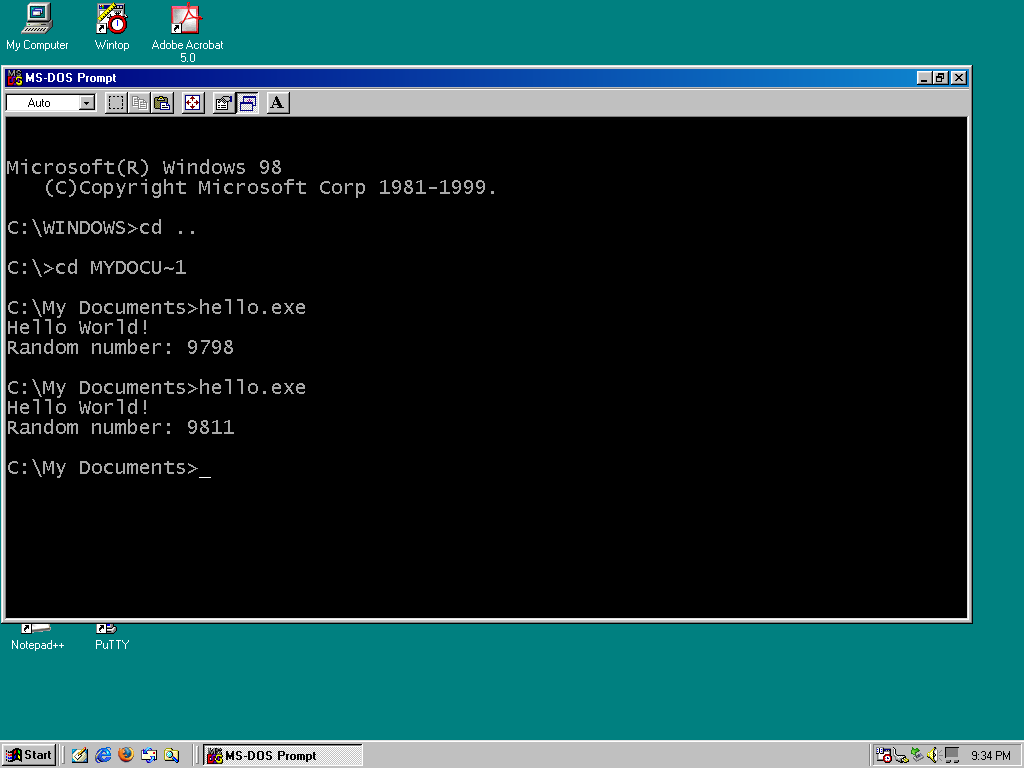
It runs!
This is a screenshot that I took on my Windows 98 laptop, a Dell Latitude C610 with a Pentium III. It works flawlessly!
Conclusion
This was of course just a quick test. I’m sure we can do more than just a Hello World program. Being able to use modern computers to write code for Windows 98 speeds up things considerably.